How We Made Inside Genwi, a 3D AI Animation Short
A tiny film crew lives inside your phone: Genny, Pip, Pop, Pix, Reel and Roll. We broke the Reel down scene by scene, prompts included.
Inside Genwi is a 37-second 3D animation about what happens inside your phone when you tap a template in Genwi. Deniz taps the "Pixar Portrait" template, the camera dives into the screen, and a tiny crew paints her portrait and turns it into a video. This post lists all 8 scenes of the Reel with their character prompts and video prompts, in order. The same models are available in Genwi, so you can make the whole thing yourself.
What is Inside Genwi about?
The story starts with one tap and moves into a film studio hidden inside the phone. Each character stands for a job Genwi does:
- Genny is the director. She takes the order and calls the shots.
- Pip, Pop and Pix are the painters. They stand for image generation.
- Reel and Roll are the camera crew. They turn the portrait into a video.
- Deniz is the user. She taps the template and gets the result.
You need two models in Genwi to recreate it: Gemini 3.1 Flash Image Preview in Genwi Image for the stills and Gemini Omni Flash 1.2 Image to Video in Genwi Video for the clips.
The cast: five Elements
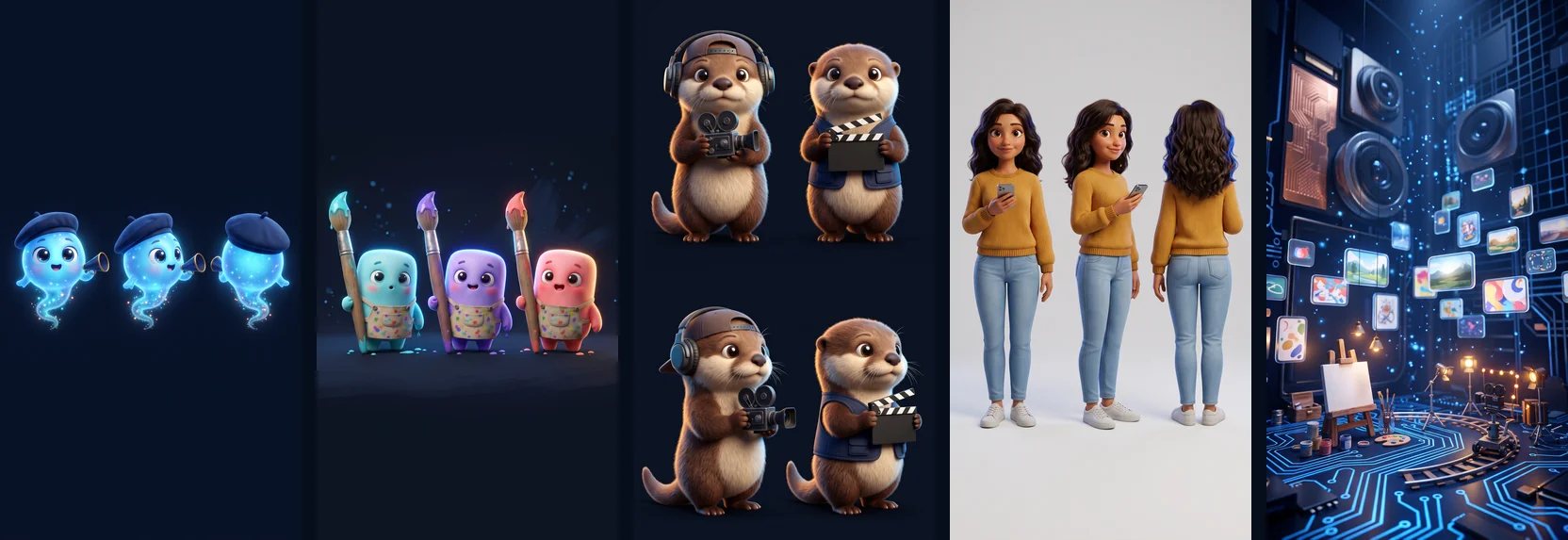
Consistent characters start with one clean character sheet each. We saved every sheet in Genwi with + → Add element and attached only the Elements that appear in a given scene.
Genny (@genny)
Character sheet of Genny, a tiny magical light-sprite film director: a round glowing electric-blue body the size of a teacup, soft translucent glow, huge sparkling eyes, a small happy smile, two tiny arms, a navy beret tilted on her head, a small megaphone in one hand and a wispy tail of sparkles instead of legs. Front, three-quarter and back views side by side on a plain dark navy background. 3D animated feature film style, soft cinematic lighting, deep navy and electric-blue palette, no text.
Pip, Pop & Pix (@pip_pop_pix)
Character sheet of three tiny marshmallow-shaped painters standing side by side, each the size of a thumb: Pip is cyan, Pop is violet, Pix is coral pink. Soft squishy matte bodies, big round eyes, rosy cheeks, stubby arms; each holds a paintbrush taller than itself and wears a paint-splattered apron. Front view, full body, plain dark navy background. 3D animated feature film style, soft cinematic lighting, deep navy and electric-blue palette, no text.
Reel & Roll (@reel_roll)
Character sheet of two chubby baby otters who are a film crew: Reel wears a backwards cap and headphones and holds a vintage film camera; Roll wears a small navy vest and holds a blank clapperboard with no writing. Fluffy brown fur, cream bellies, whiskers, big shiny eyes. Front and three-quarter views, full body, plain dark navy background. 3D animated feature film style, soft cinematic lighting, deep navy and electric-blue palette, no text.
Deniz (@deniz)
Character sheet of Deniz, a woman in her mid-twenties: warm olive skin, wavy dark brown shoulder-length hair, light freckles, a friendly smile, a mustard yellow knit sweater, light blue jeans, white sneakers and a smartphone in her hand. Front, three-quarter and back views side by side, full body, plain light gray background. 3D animated feature film style, soft cinematic lighting, deep navy and electric-blue palette, no text.
Studio (@studio)
Empty background with no characters: a miniature art-and-film studio hidden inside a smartphone. Deep navy space, glowing electric-blue circuit paths on the floor like tiny roads, floating glass cards with colorful pictures, a small easel with a blank canvas, paint pots, tiny spotlights, a little film set with a dolly track and soft blue light particles. Vertical composition with layered depth. 3D animated feature film style, soft cinematic lighting, deep navy and electric-blue palette, no text.
Settings: Genwi Image, Gemini 3.1 Flash Image Preview, 9:16, 2K.
How to make it in Genwi, step by step
- Draw the cast. Use the five prompts above in Genwi Image to create the character sheets.
- Save them as Elements. Open + and choose Add element for each sheet.
- Build the scenes. Attach the Elements a scene needs, paste its image prompt and keep 9:16.
- Animate. Switch to Genwi Video, pick Gemini Omni Flash 1.2 Image to Video, use the scene image as the start frame and paste the video prompt.
- Edit. Put the clips in order and add the voiceover and captions.
The prompts, scene by scene
1. Tap a template
Deniz taps a template in Genwi. The story starts on her couch. Elements: @deniz.
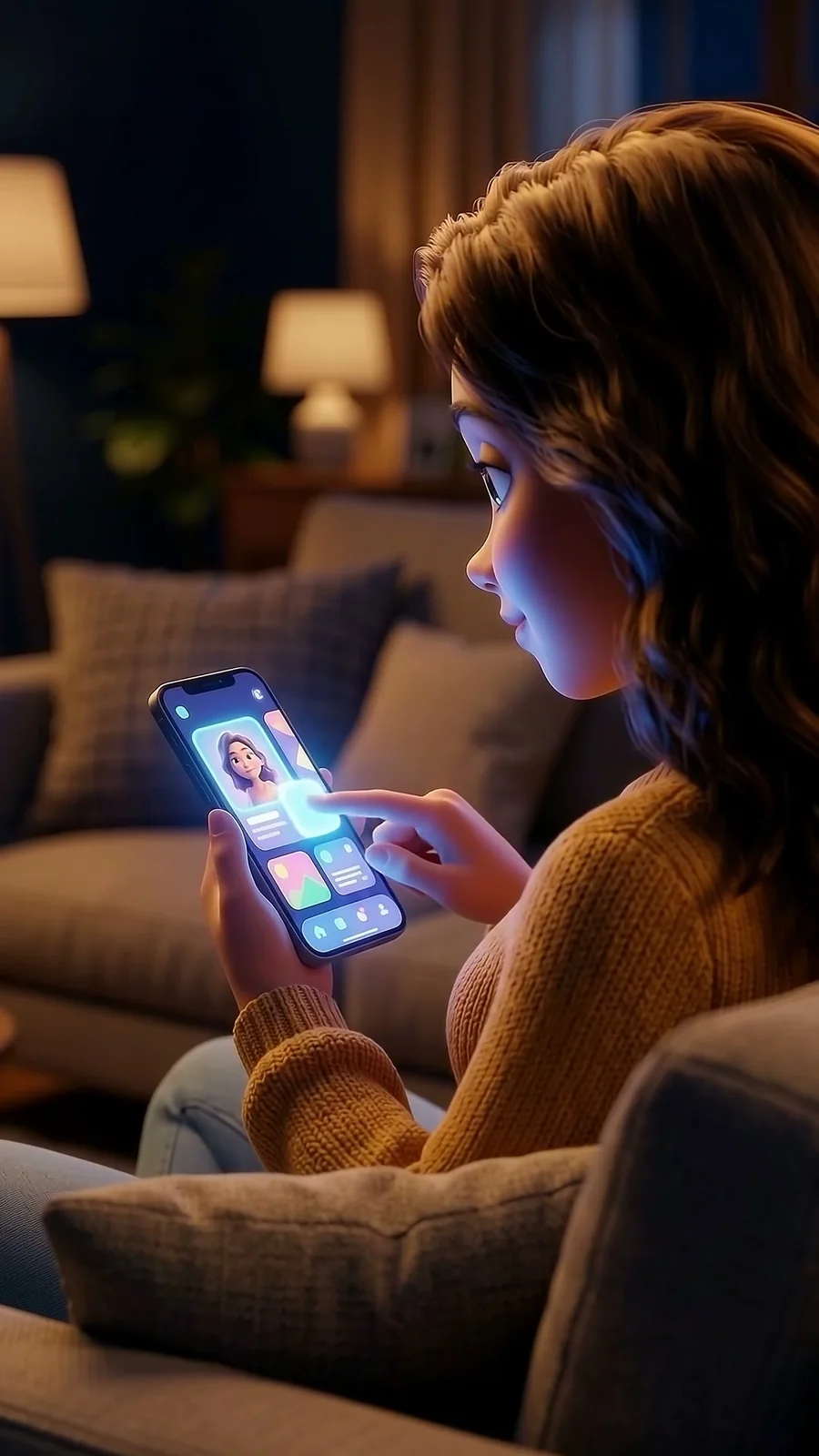
Image prompt (Genwi Image):
@deniz sits on a cozy sofa at home in warm evening light. Over-the-shoulder close-up: her finger taps a glowing card on her phone screen that shows a cute 3D cartoon portrait thumbnail. The screen faces her, and its electric-blue glow lights her face. 3D animated feature film style, soft cinematic lighting, deep navy and electric-blue palette, no text.
Video prompt (Genwi Video, 4 s, 9:16):
She taps the glowing card; the screen pulses with bright blue light that washes over her face, and she smiles with curiosity. Slow push-in toward the phone. Whimsical sound effects, no speech, no music.
2. Diving into the screen
The whole crew waves from inside the phone, then the camera dives in. Elements: @deniz, @genny, @pip_pop_pix, @reel_roll, @studio.
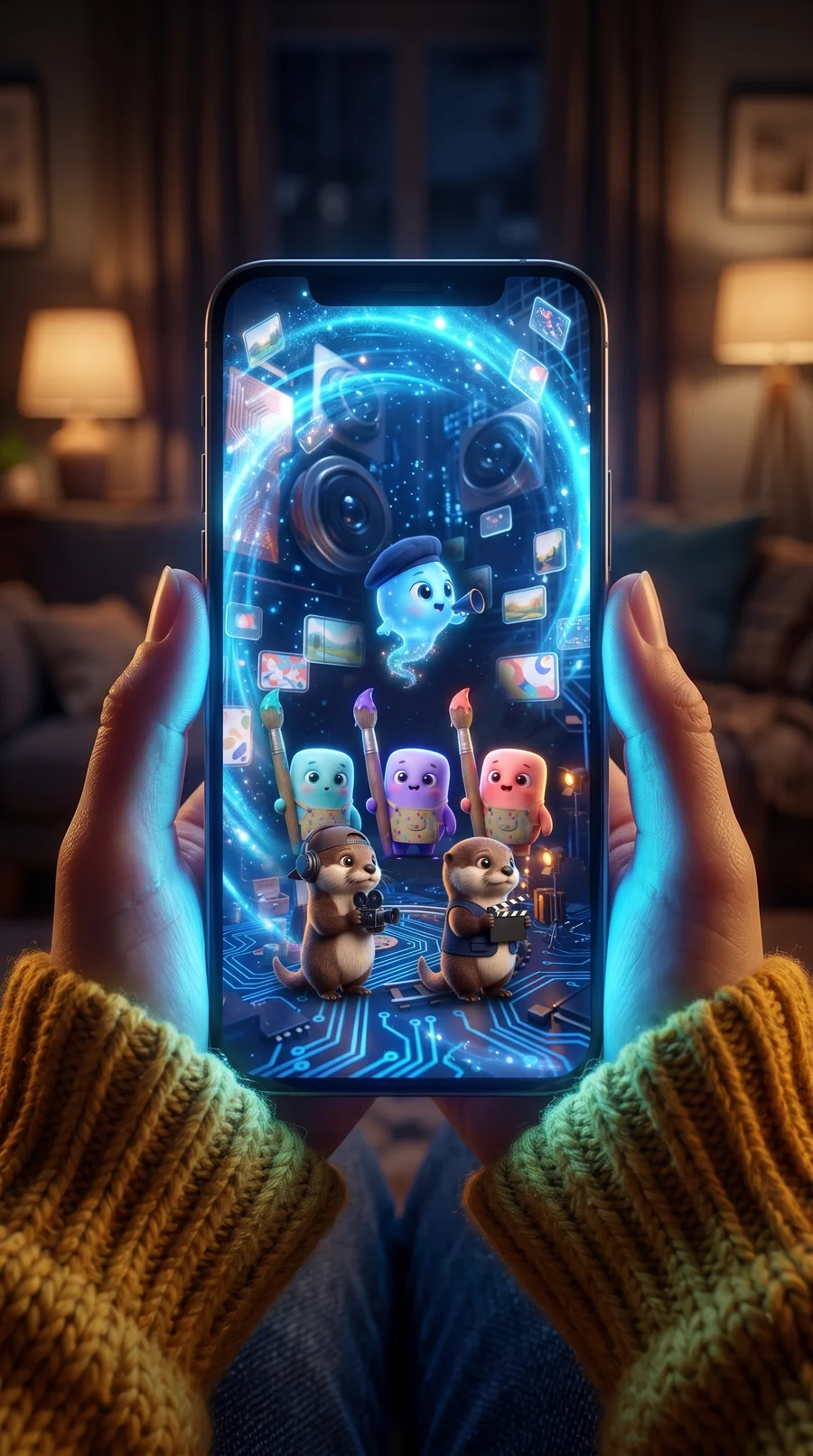
Image prompt (Genwi Image):
Point-of-view shot: two hands in a mustard knit sweater hold a phone upright, the screen facing the viewer, a cozy dark living room with warm lamp bokeh behind. The screen has become a swirling electric-blue portal; deep inside it stands @studio with @genny, @pip_pop_pix and @reel_roll looking up and waving hello. Exactly these characters, no other creatures. 3D animated feature film style, soft cinematic lighting, deep navy and electric-blue palette, no text.
Video prompt (Genwi Video, 6 s, 9:16):
The characters inside the screen wave hello, then the camera pushes forward and dives through the glowing screen; light streaks and tiny cards rush past, and the camera lands inside the studio right in front of Genny holding a photo card. One continuous camera move. Whimsical sound effects, no speech, no music.
3. Meet Genny
The director gets the order and gets excited. Elements: @genny, @studio.
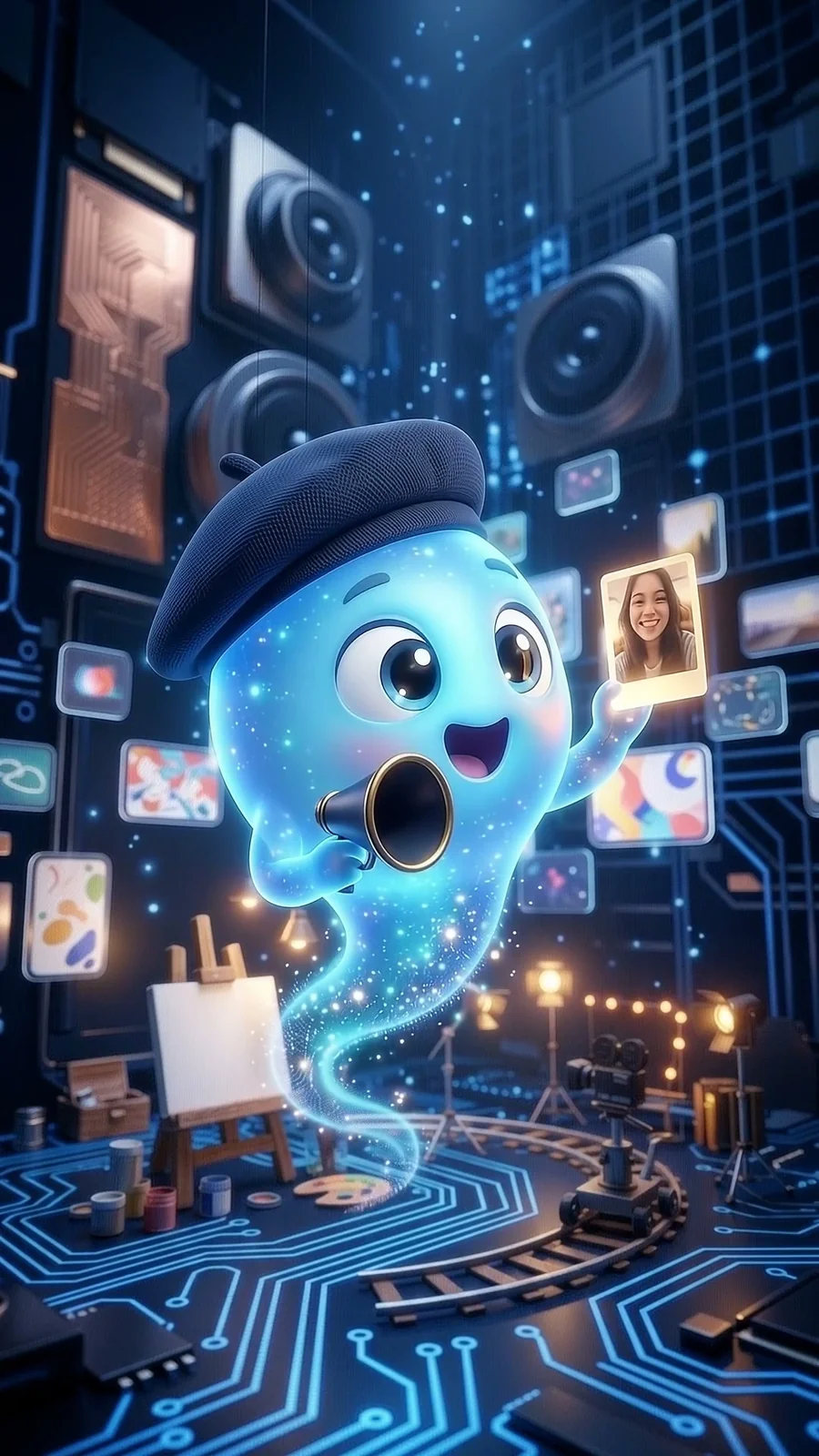
Image prompt (Genwi Image):
@genny floats inside @studio holding up a tiny glowing photo card of a smiling young woman's selfie, eyes sparkling with excitement, her megaphone in the other hand. Medium close-up. 3D animated feature film style, soft cinematic lighting, deep navy and electric-blue palette, no text.
Video prompt (Genwi Video, 4 s, 9:16):
Genny studies the photo, gasps happily, then lifts her megaphone and calls out an excited order; bursts of blue sparkles pop around her and floating cards swirl behind. Whimsical sound effects, no speech, no music.
4. The painters get to work
Pip, Pop and Pix paint the cartoon portrait. Elements: @pip_pop_pix, @studio, @deniz.
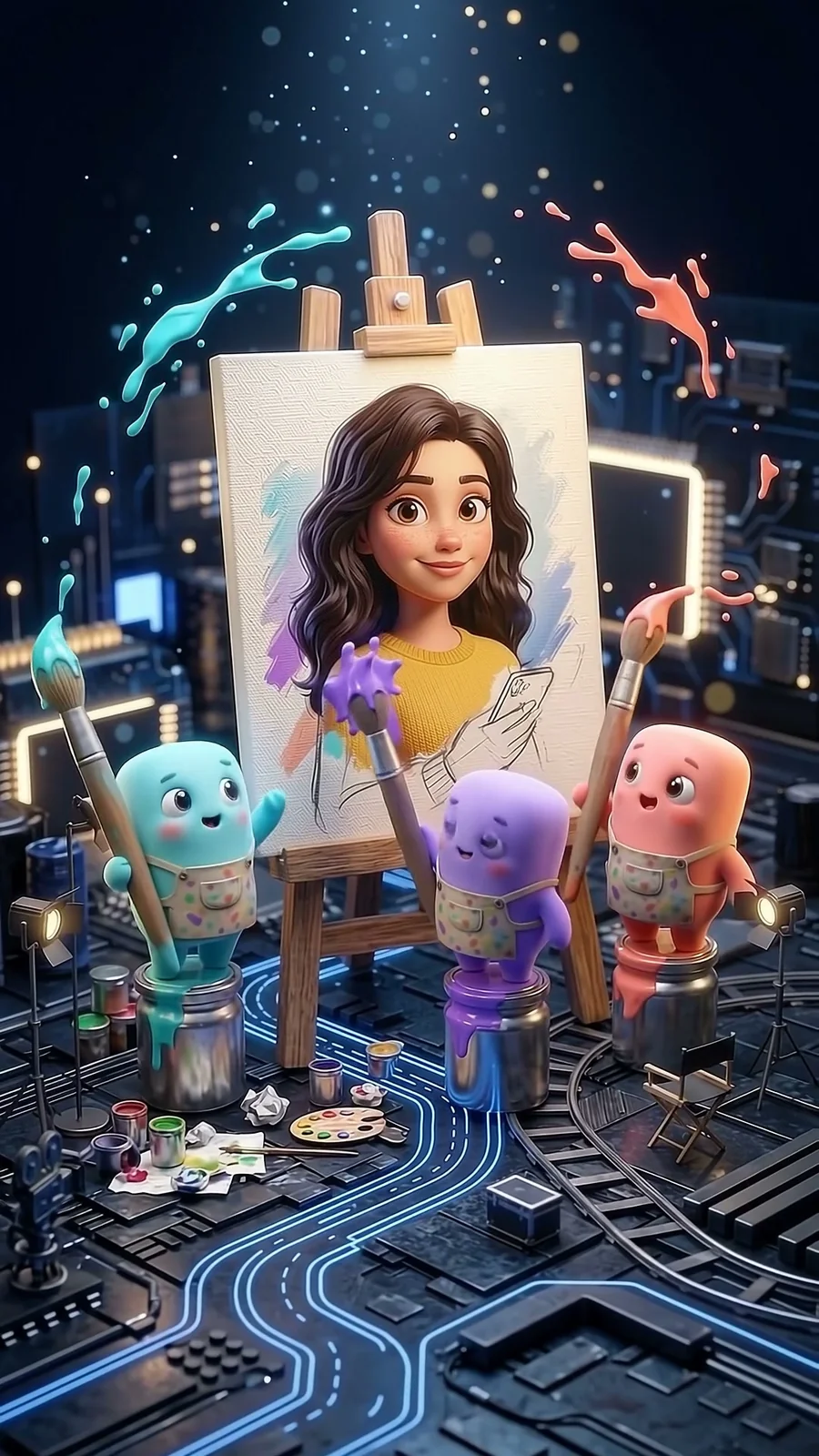
Image prompt (Genwi Image):
@pip_pop_pix stand on paint pots in front of a large canvas on an easel inside @studio, joyfully painting a cute 3D cartoon portrait of @deniz. The portrait is half finished; cyan, violet and coral paint splashes fly through the air. 3D animated feature film style, soft cinematic lighting, deep navy and electric-blue palette, no text.
Video prompt (Genwi Video, 4 s, 9:16):
The three painters swing their big brushes in rhythm; cyan, violet and coral paint swirls onto the canvas and the portrait fills with color. Playful, energetic motion. Whimsical sound effects, no speech, no music.
5. The portrait is done
The finished portrait glows; the painters celebrate. Elements: @pip_pop_pix, @deniz.
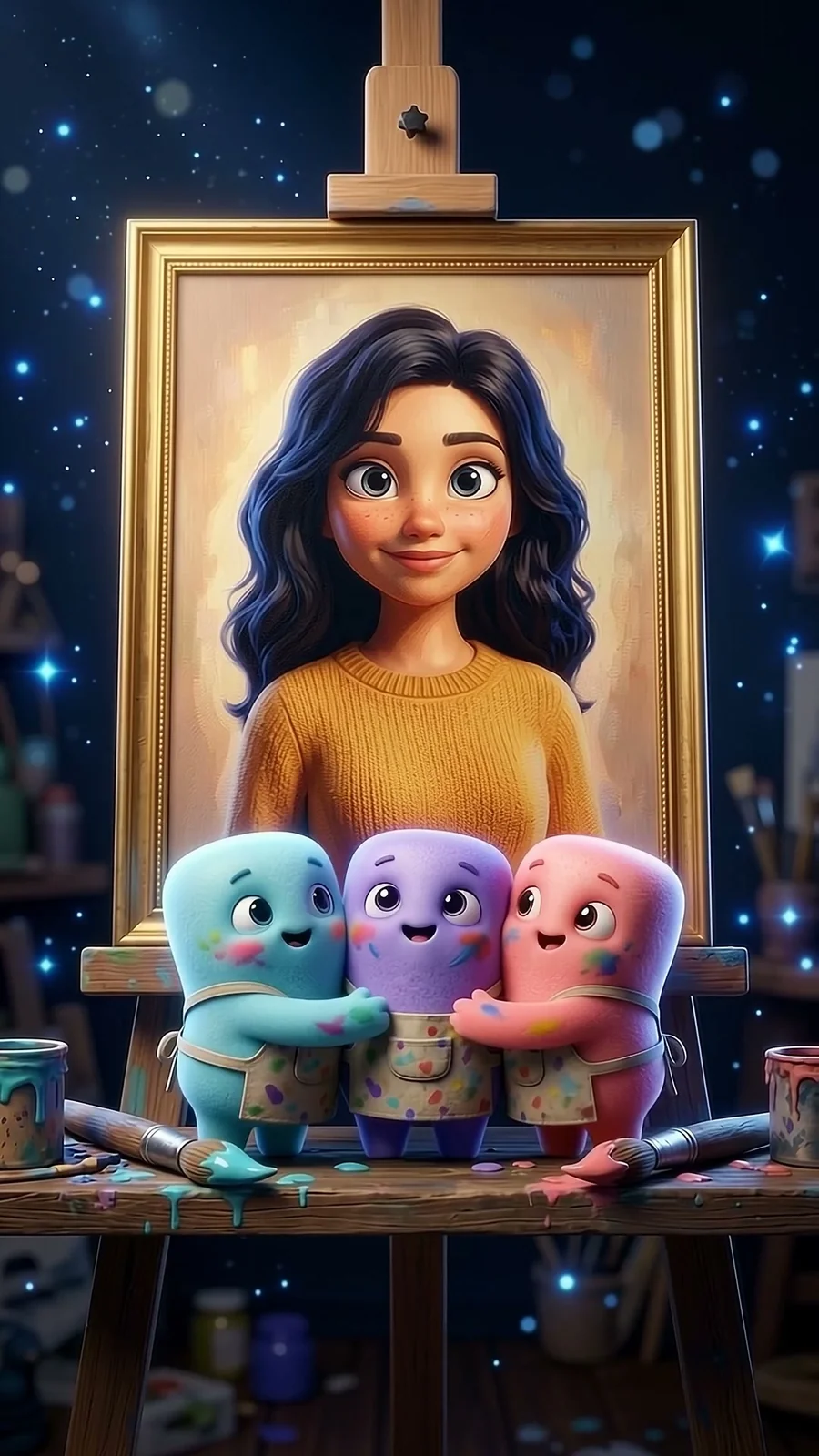
Image prompt (Genwi Image):
Close-up of the finished canvas in a golden frame: a cute 3D cartoon version of @deniz with big eyes, wavy dark hair and a mustard sweater, glowing softly. @pip_pop_pix hug each other proudly at the bottom of the frame, paint on their cheeks, the navy studio with blue sparkles behind. 3D animated feature film style, soft cinematic lighting, deep navy and electric-blue palette, no text.
Video prompt (Genwi Video, 4 s, 9:16):
The portrait glows brighter; the painters bounce, squish together into a happy hug and high-five while sparkles rise around them. Whimsical sound effects, no speech, no music.
6. Setting up the shot
The camera crew gets ready to turn the portrait into a video. Elements: @reel_roll, @genny, @studio.
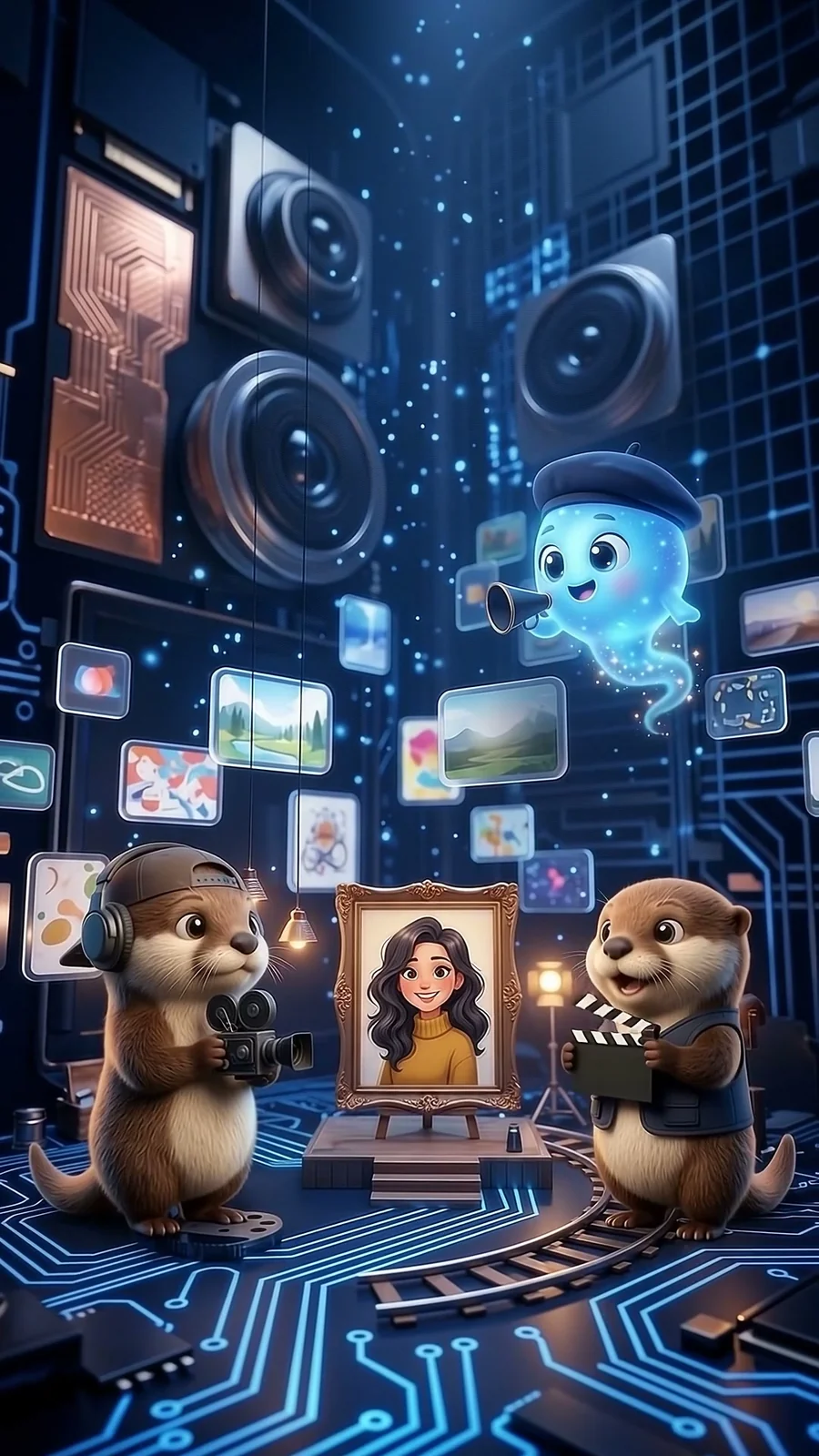
Image prompt (Genwi Image):
On a tiny film set inside @studio: Reel from @reel_roll stands behind a vintage camera on a dolly track, Roll holds up a blank clapperboard, a framed cartoon portrait of a young woman with wavy dark hair and a mustard sweater stands in front of them like a stage, and @genny floats above with her megaphone. 3D animated feature film style, soft cinematic lighting, deep navy and electric-blue palette, no text.
Video prompt (Genwi Video, 4 s, 9:16):
Roll snaps the clapperboard shut, Reel rolls the camera forward along the track, and Genny raises her megaphone and bounces with excitement. Whimsical sound effects, no speech, no music.
7. Action!
The portrait comes alive on camera. Elements: @deniz, @reel_roll.
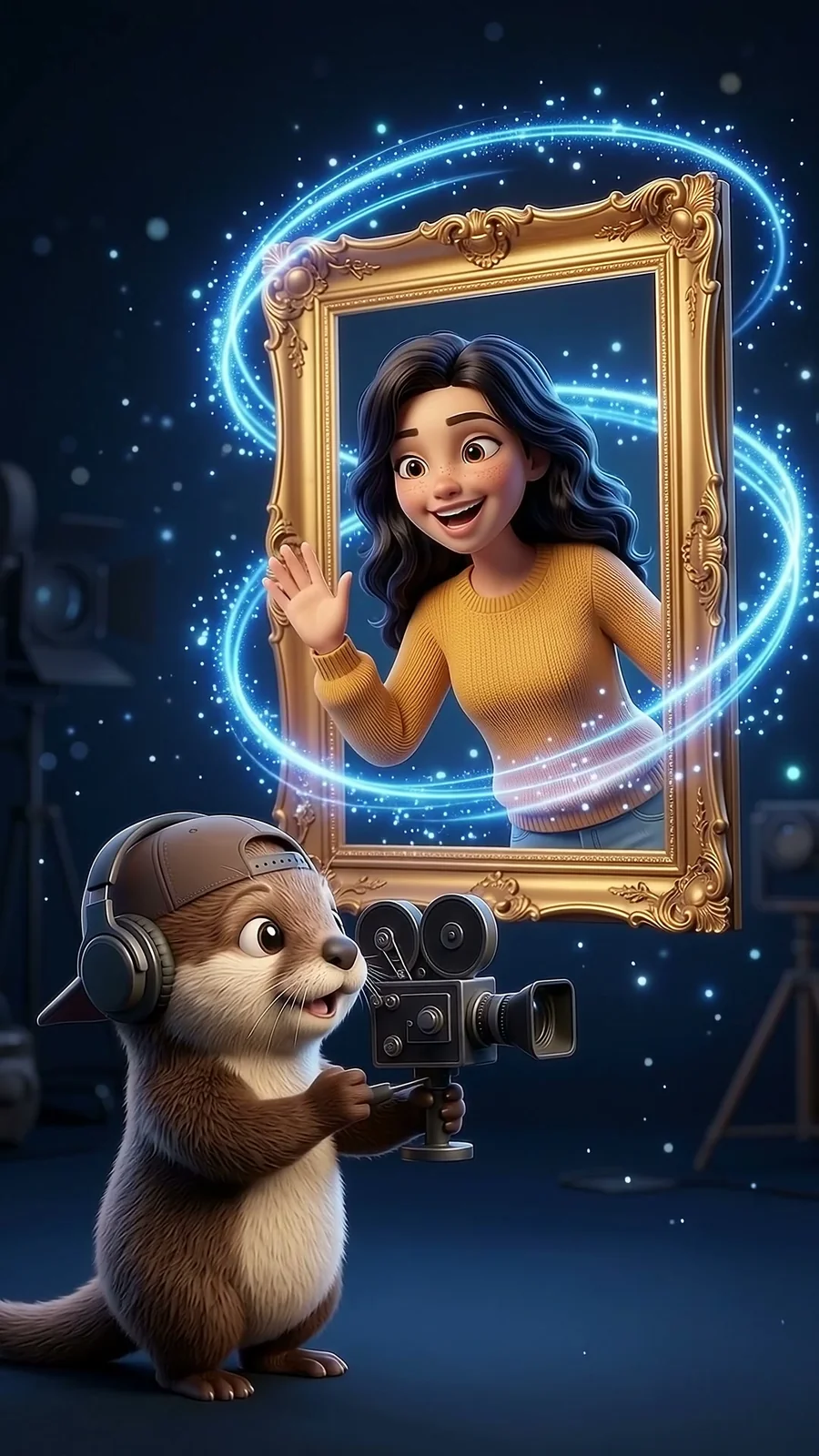
Image prompt (Genwi Image):
A cute 3D cartoon version of @deniz comes alive inside a golden frame, waving and laughing as swirls of electric-blue light spiral around it. In the foreground, Reel from @reel_roll films her happily with a vintage camera. Deep navy magical studio background. 3D animated feature film style, soft cinematic lighting, deep navy and electric-blue palette, no text.
Video prompt (Genwi Video, 4 s, 9:16):
The cartoon woman waves and laughs as if alive, blue light spirals around the frame and the otter cranks his camera happily; then the camera pulls back quickly. Whimsical sound effects, no speech, no music.
8. In your hands
Seconds later, the video is on Deniz's phone. Elements: @deniz, @genny.
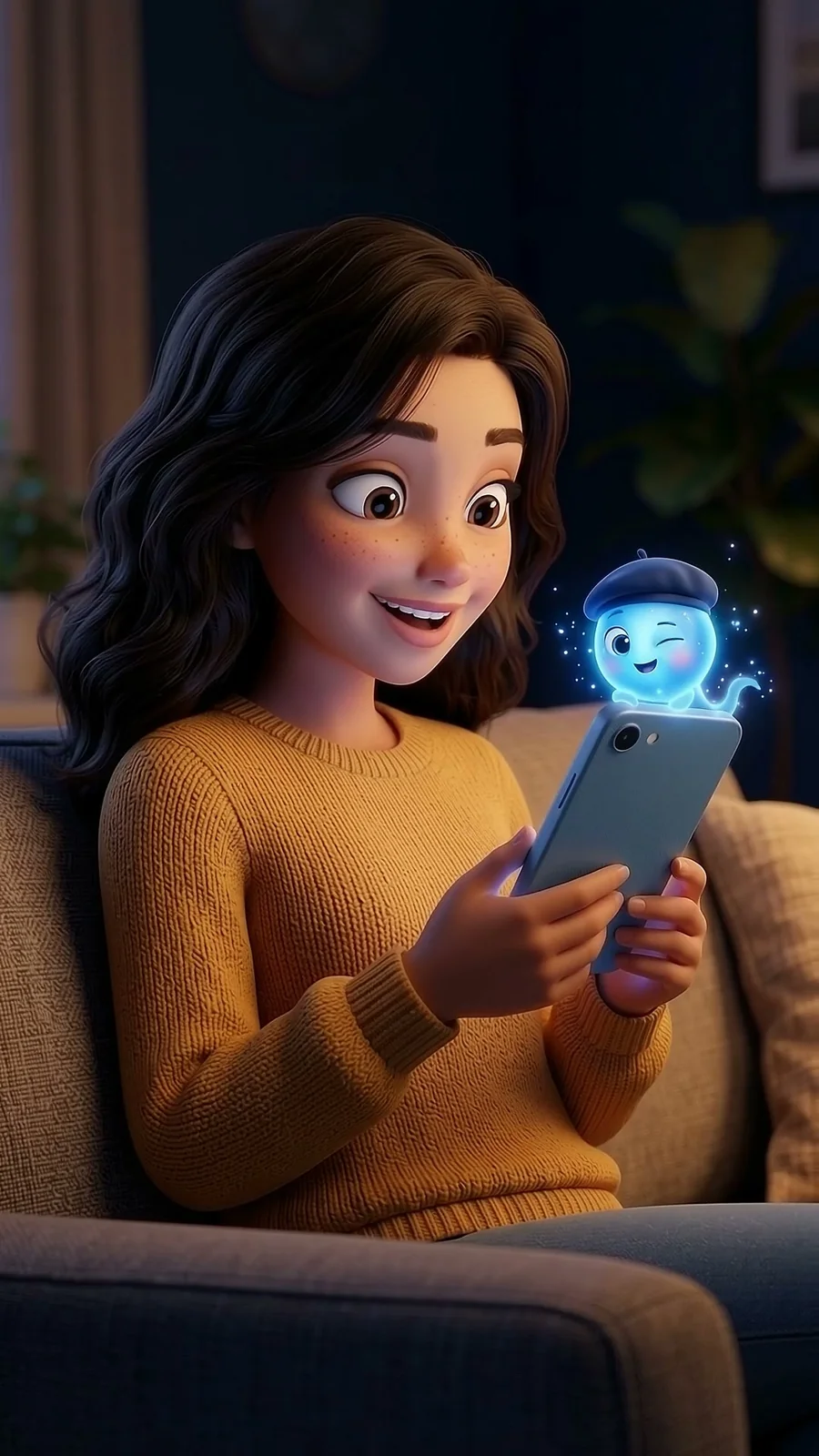
Image prompt (Genwi Image):
@deniz sits on a cozy sofa in warm evening light and looks at her phone with a delighted, surprised smile. She holds it naturally with the screen facing her; the back of the phone faces the viewer. Tiny @genny peeks over the top edge of the phone and winks. Medium close-up. 3D animated feature film style, soft cinematic lighting, deep navy and electric-blue palette, no text.
Video prompt (Genwi Video, 4 s, 9:16):
Deniz laughs with delight; Genny peeks over the top of the phone, winks and waves. Gentle slow push-in. Whimsical sound effects, no speech, no music.
Chain your scenes
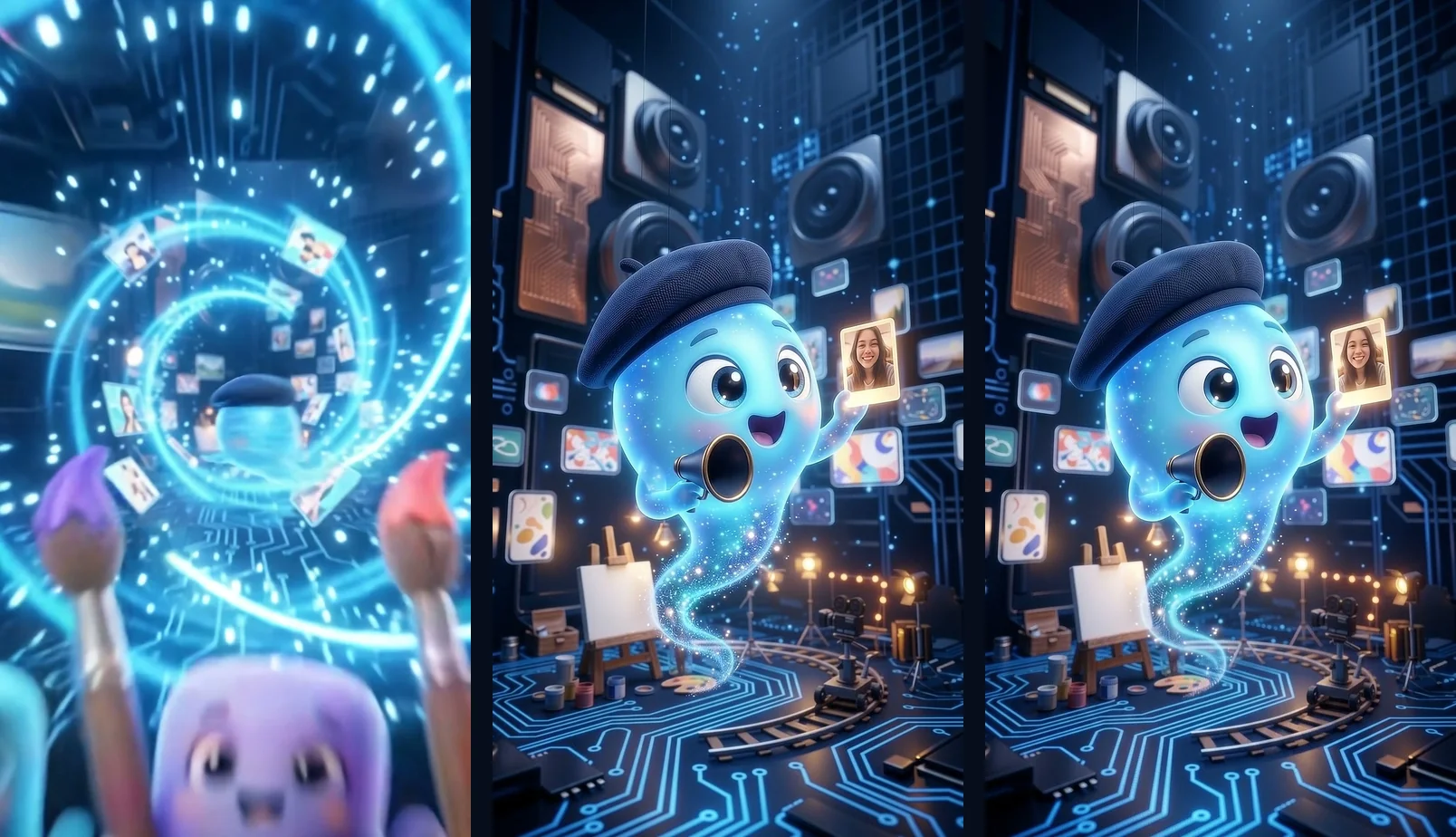
The smoothest moment in the Reel is the jump from scene 2 to scene 3. The dive ends in front of Genny, and scene 3 starts on that same picture, so you never notice the cut. To do it in your own video:
- Generate every scene image first and line them up in order.
- In the transition clip, say where the camera arrives: "lands in front of Genny holding a photo card".
- Start the next clip with the image of the scene you arrived at.
- Give the transition clip 6 seconds.
- If the place or time changes, skip the chain and use a clean cut.
Five checks after every generation
- Same cast? Compare every character with its sheet: colors, outfit, props and how many there are.
- Does the scene tell the story? Look for creatures or places that are not in your script. Our first portal image showed random creatures inside the screen instead of our crew; we fixed it by adding "exactly these characters" to the prompt.
- Does the physics hold? A person looking at a phone sees its screen, and we see its back. Count the fingers.
- Any text in the image? Letters and fake logos sneak in. A clapperboard should stay blank.
- Is the middle of the video solid? Check the frames in the middle and at the end, not only the first one.
If a check fails, fix the prompt. Running the same prompt again rarely helps.
More ideas
- Build a mascot crew for your own brand: a baker, a cashier, a courier.
- Shoot a series with the same cast, one template per episode.
- Swap the cast: crayons instead of Pip, Pop and Pix, two hedgehogs instead of Reel and Roll.
Examples
Frequently asked questions
Can I make this video in Genwi?
Yes. Pick Gemini 3.1 Flash Image Preview in Genwi Image and Gemini Omni Flash 1.2 Image to Video in Genwi Video, then paste the prompts from this post as they are.
How do I keep characters consistent across scenes?
Generate a character sheet with front, side and back views for each character first. Save each sheet in Genwi with + and Add element, then attach the right Elements to every scene prompt.
How long should each clip be?
Most scenes are 4 seconds. The clip where the camera travels from one place to another got 6 seconds, because 4 seconds felt rushed.
How were the voiceover and captions added?
The clips have no speech; every video prompt says "no speech, no music". The English narrator, captions and end card were added in the edit.
Do prompts have to be in English?
No. The Turkish version of this post has the same prompts in Turkish. Keep the Element names, like @genny, the same in both languages.